Pre-Release Beta

Health Check-In

Thank you for agreeing to test the app and share your feedback! Here's everything you need to get started.

⬇ Download for Android

Android only · APK direct download · ~60 MB

App Highlights

📊

How You Actually Feel

Log at least one entry a day telling the app how you feel — rather than having an app tell you how you should be feeling.

💡

Build Personal Insights

The more you check in and add notes, the more benefit you'll see. Use the data to discover what works for you, then capture it in the Insights section.

😴

Personalized Sleep Scores

Set sleep targets in Settings for a more accurate and personalized sleep score than most health trackers — once you link Fitbit or another health app.

🔒

Your Data Stays Yours

No data is uploaded anywhere. The only exception is if you choose to link Google Drive in Settings and perform manual backups.

Installation Guide (Android)

1

Download the APK

From your phone, tap the download button above (or tap here). Since this isn't from the Play Store, your browser will ask if you want to keep the file.

Tap "Keep" to proceed with the download.
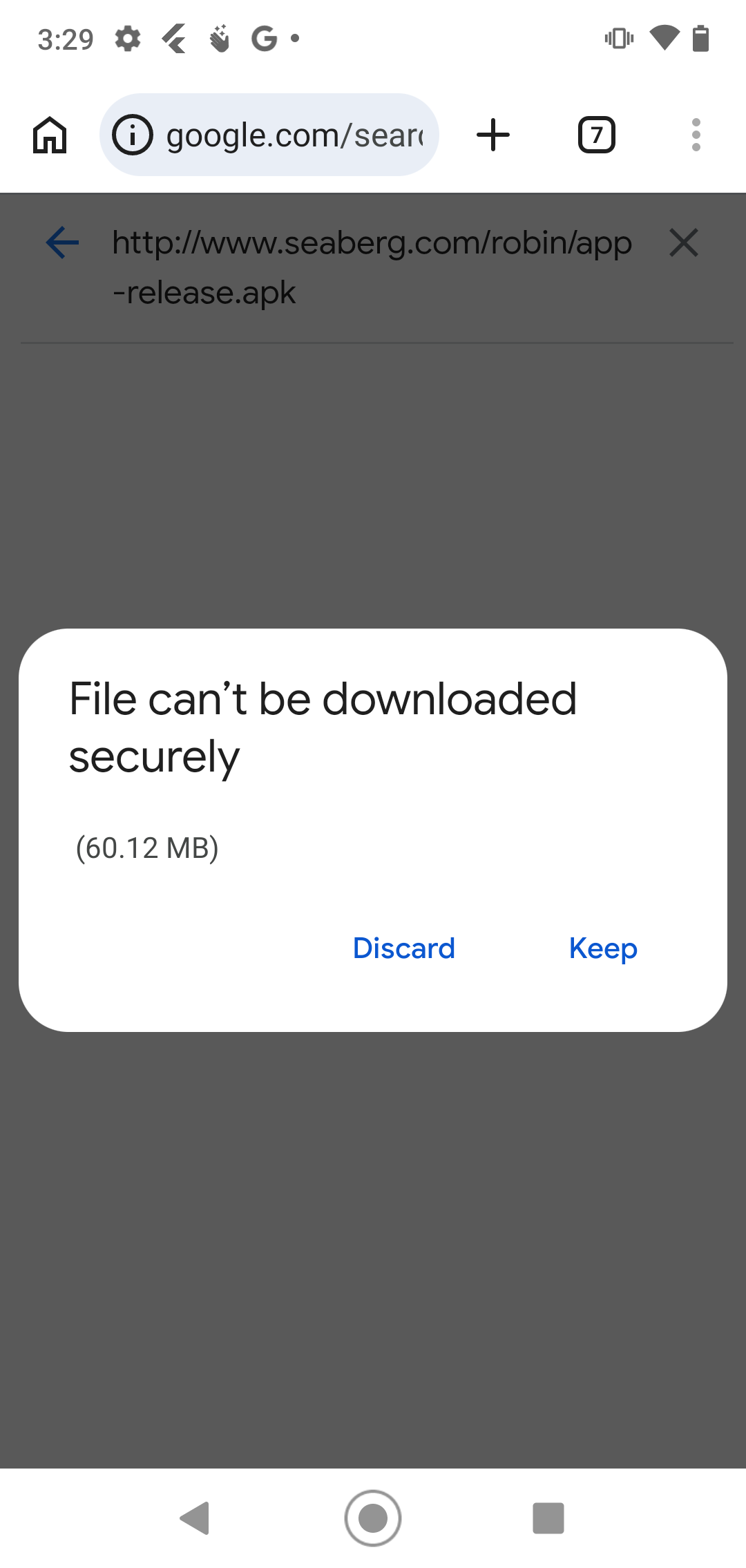
Browser prompt showing Discard or Keep — tap Keep
2

Scan the App

You'll likely see a Google Play Protect prompt recommending a security scan. Tap "Scan app" to proceed.
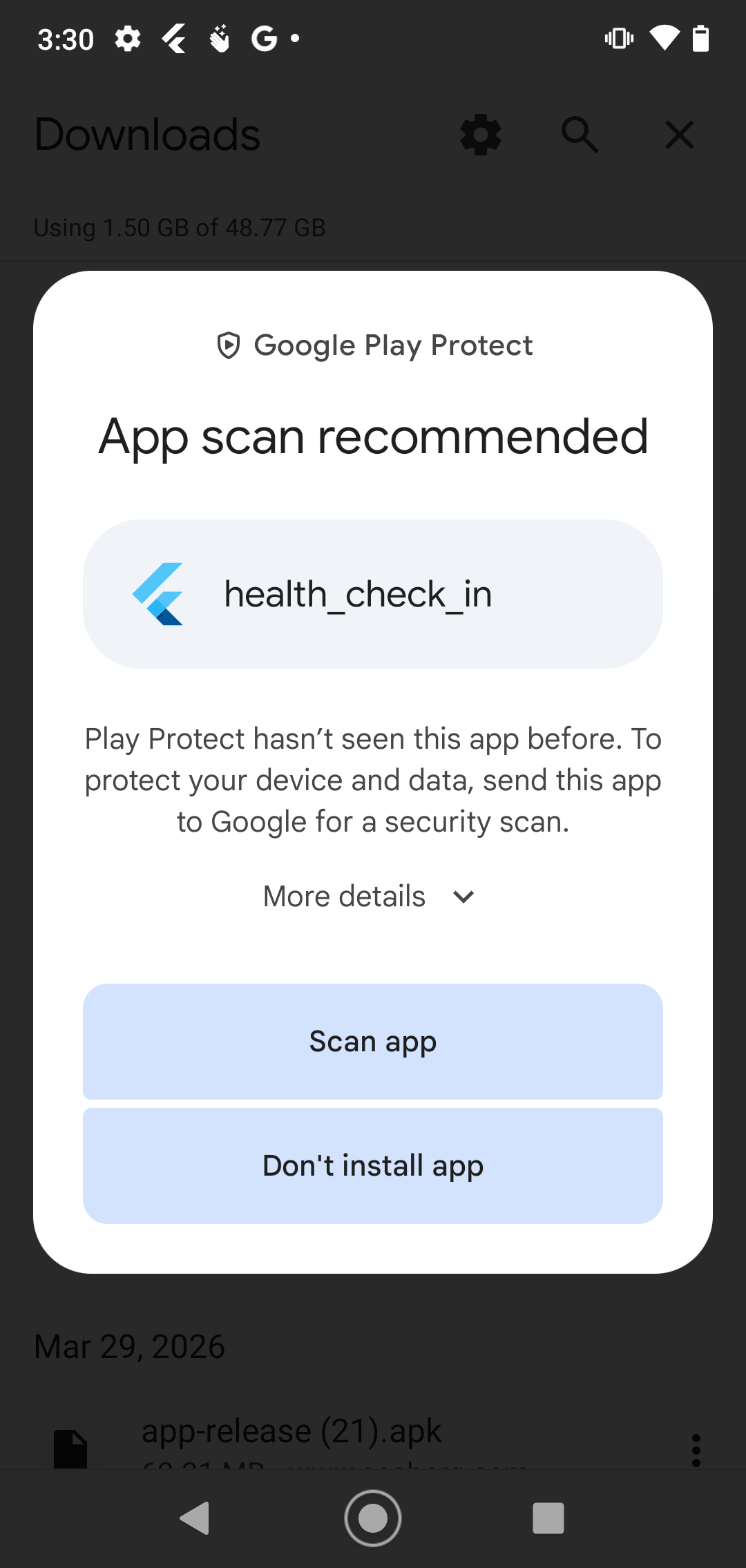
Play Protect app scan recommended prompt
3

Install the App

Once the scan completes, you'll see a confirmation that the app looks safe. Tap "Install".
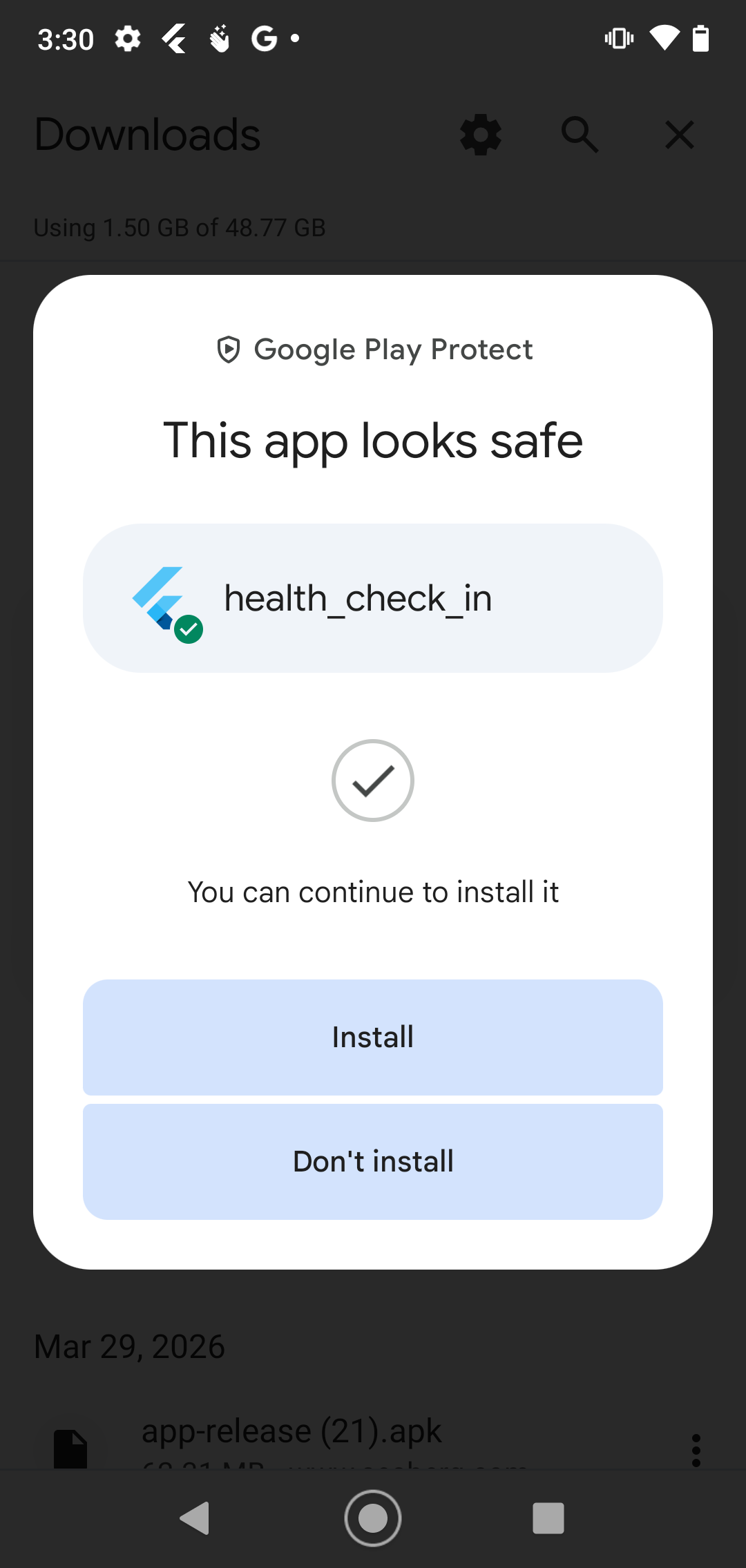
Play Protect confirms app looks safe — tap Install
You may see a slightly different install prompt depending on your device — just tap "Install" either way.
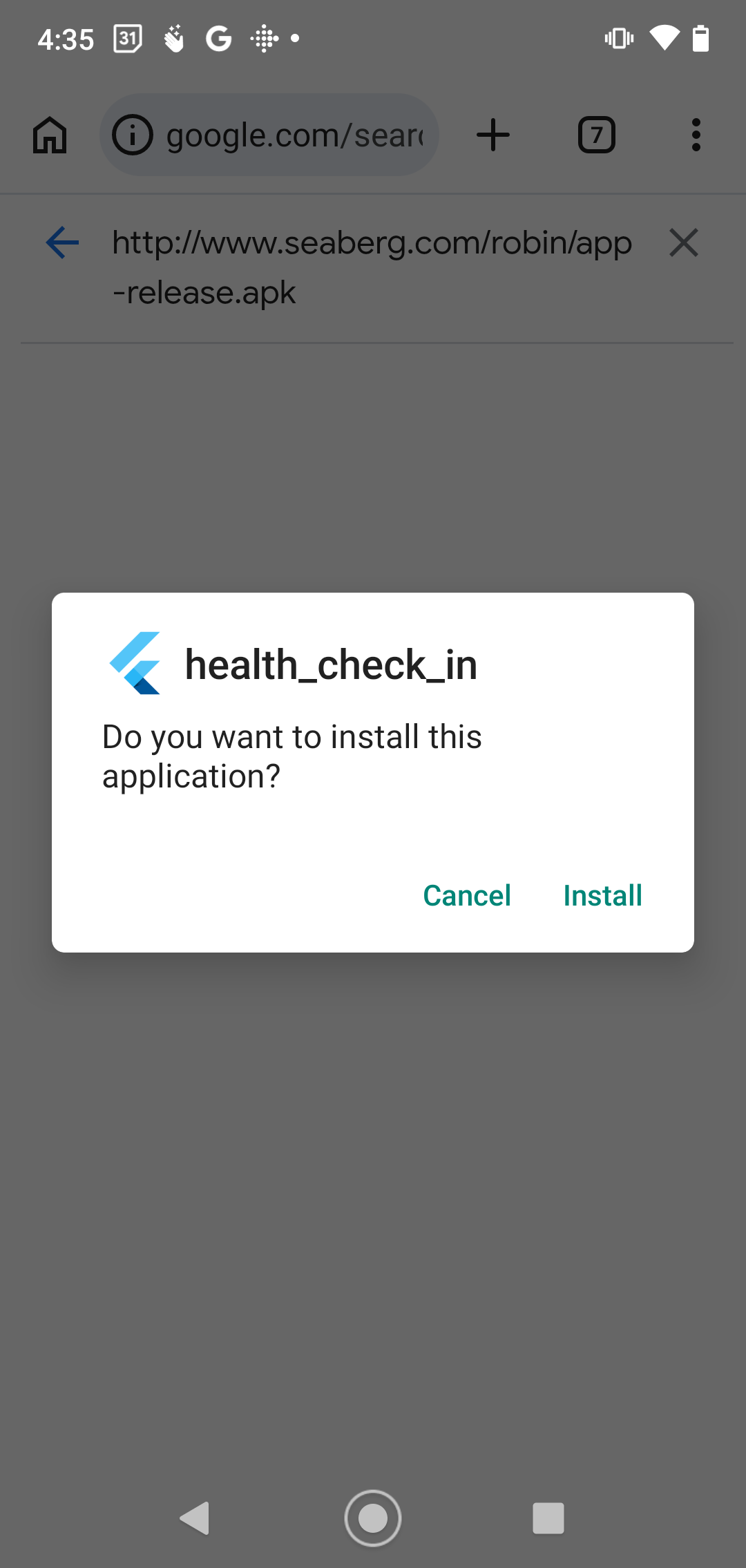
Alternative install prompt — tap Install
4

Open the App

Once installed, you'll see a notification confirming the download is complete. Tap "Open" to launch Health Check-In.
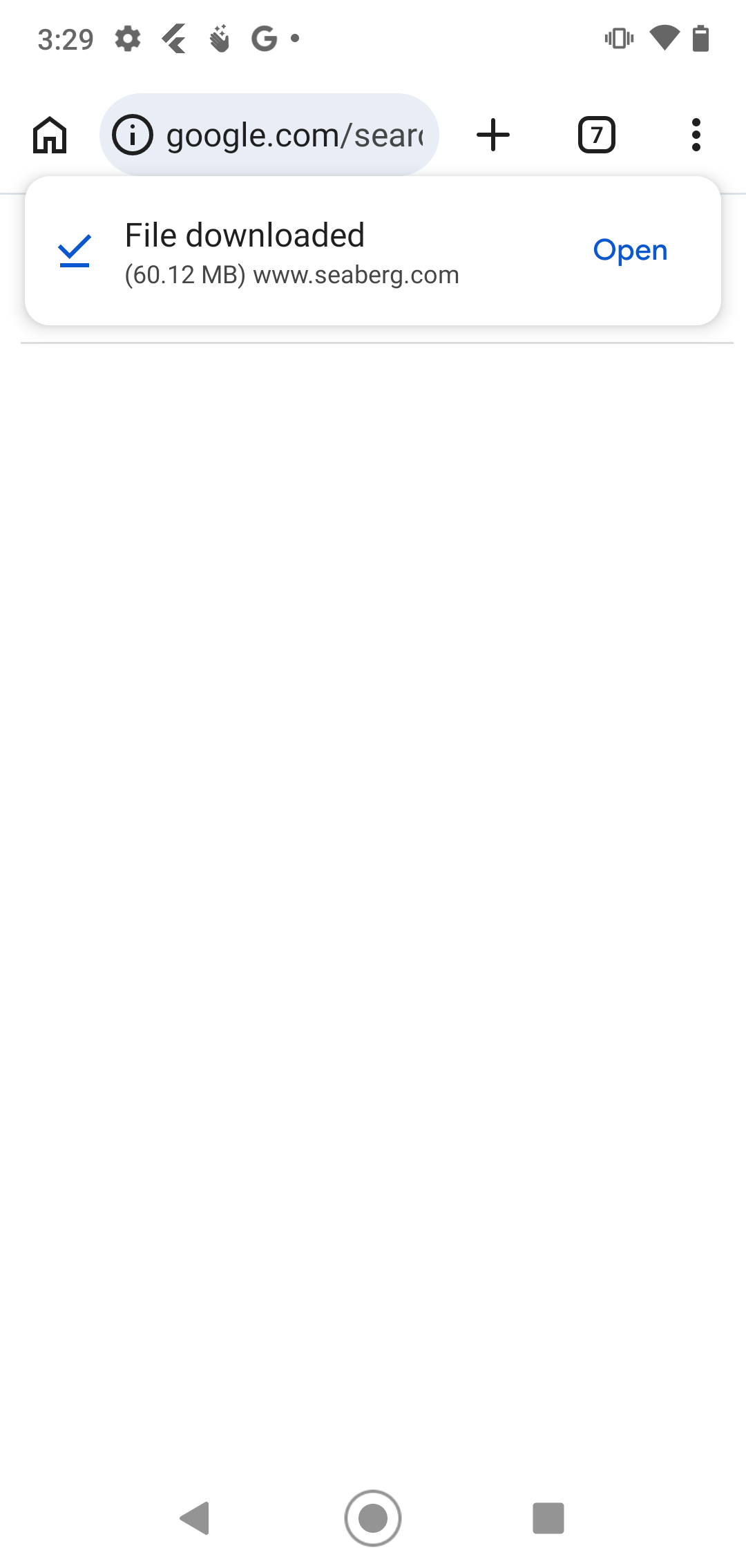
File downloaded notification with Open button
5

Unlock All Features

When you see "Upgrade to Pro" anywhere in the app, tap it and press the button to unlock all features. There is no cost during the beta period.